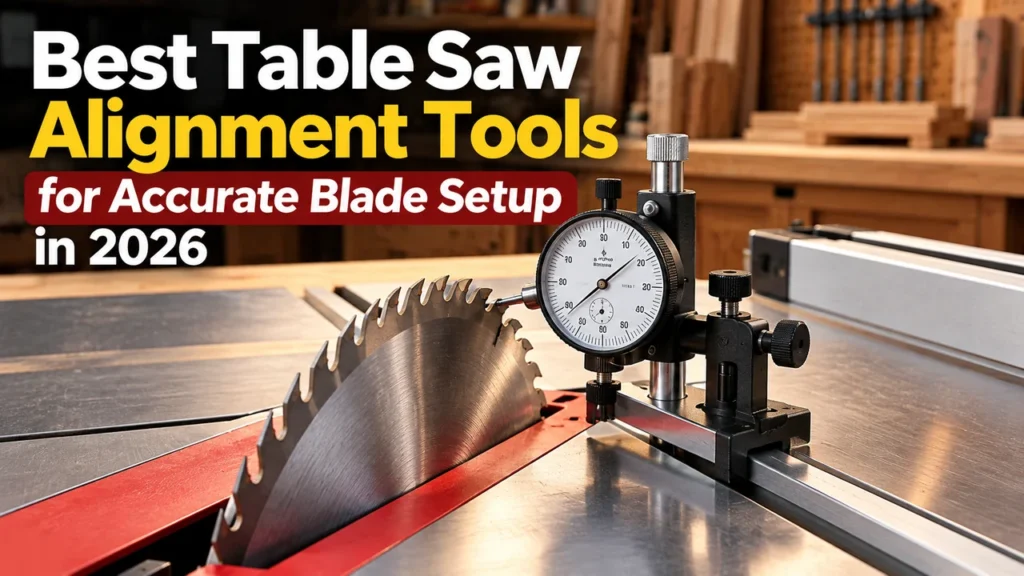

Best Table Saw Alignment Tools for Accurate Blade Setup in 2026
If your table saw produces inconsistent cuts, burns stock, or seems difficult to tune, the problem may not be the blade itself. The relationship between the blade, miter slot, and rip fence needs to be measured accurately before you can make a reliable adjustment.
This guide focuses on table saw alignment tools that turn that setup problem into a measurable process. Rather than ranking tools by brand popularity, the comparison looks at how each gauge registers in the miter slot, what it can measure, how easily it can be adjusted, and where its design may limit compatibility.
Quick Picks
| Tool | Best for | Key reason | Amazon |
|---|---|---|---|
| Rockler Table Saw Alignment Gauge | Best straightforward option | Adjustable aluminum miter bar, 0.001-inch dial indicator, and clear compatibility requirements. | Check Price |
| iGAGING EZ-Align 34-0928 | Best multi-machine flexibility | Adjustable miter-slot bar and slide system designed for table-saw and other machine alignment tasks. | Check Price |
| Woodpeckers Saw Gauge 2.0 | Premium precision setup | Self-centering miter-slot registration and extended reach for blade and fence checks. | View Manufacturer |
What a Table Saw Alignment Tool Actually Does
A good alignment gauge gives you a repeatable reference from which you can compare two positions. The most common reference is the miter slot. By moving a dial indicator through the slot and comparing readings at different points, you can determine whether the blade or fence is changing its relationship to that reference.
This is fundamentally different from eyeballing a gap or relying on a single test cut. The dial does not make the saw accurate; it gives you a way to measure the deviation before and after an adjustment.
What You Should Measure
- Blade to miter-slot relationship: compare front and rear readings to determine whether the blade is parallel to the reference slot.
- Fence to miter-slot relationship: check the fence at multiple points where the gauge’s reach permits.
- Blade or arbor runout: some gauges can be used for troubleshooting runout, depending on the setup and indicator arrangement.
- Repeatability: repeat the same measurement span after an adjustment rather than changing the measurement method each time.
Best Table Saw Alignment Tools
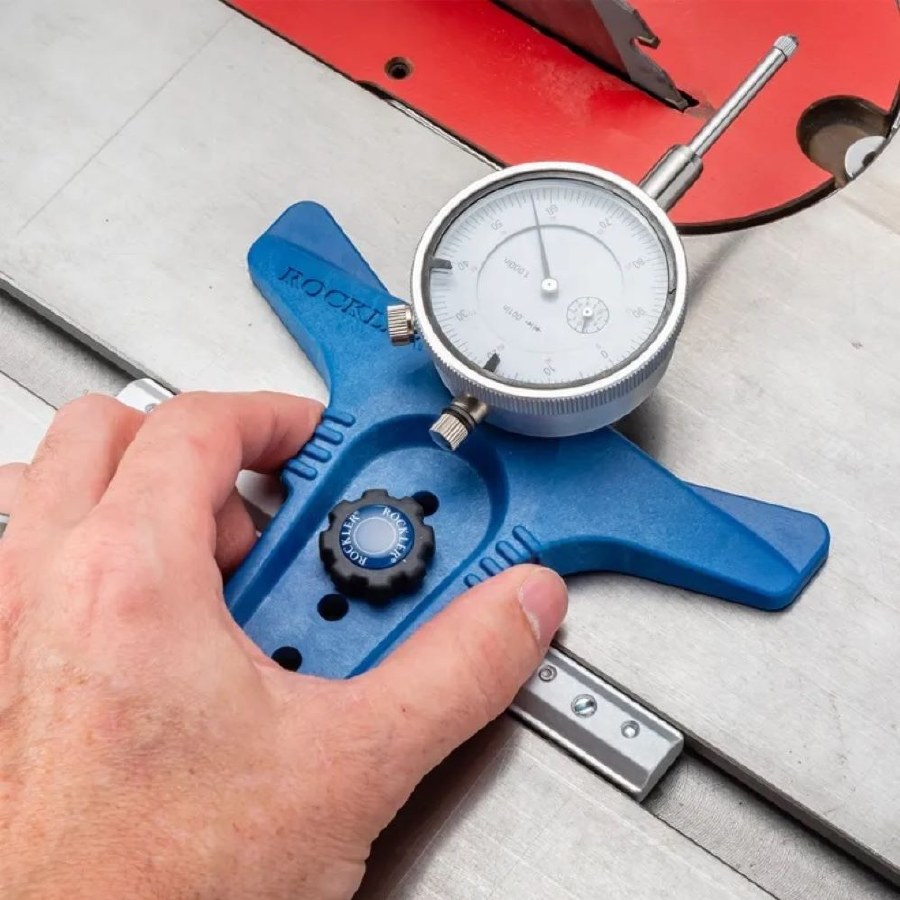
1. Rockler Table Saw Alignment Gauge
Rockler’s gauge combines a precision dial indicator with an aluminum miter bar using expandable glide blocks. The manufacturer specifies a standard 3/8 × 3/4-inch miter slot and a required 3-3/4 to 7-3/4-inch distance between the miter slot and blade.
The indicator has 1 inch of plunger travel and is specified at 0.001-inch accuracy. The adjustable bar matters because excessive side play can make a measurement less repeatable.
Best for: woodworkers who want a purpose-built alignment gauge without moving into a premium specialist system.
Watch: compatibility is not universal; measure your saw before ordering.
Check Price on Amazon
2. iGAGING EZ-Align 34-0928
The EZ-Align is designed around a 6-inch adjustable miter-slot bar and a 9-inch slide bar. iGAGING lists a 0–7-inch gauge measurement range and a dial indicator reading to 0.001 inch.
Its broader usefulness is a major reason to consider it: the manufacturer’s catalog describes it for table-saw alignment, blade flatness, fence alignment, jointer-knife setup and depth-of-cut adjustments.
Best for: a shop that wants one alignment system to serve several machine-setup tasks.
Watch: confirm the exact current configuration before purchase because the EZ-Align family has appeared in multiple indicator configurations.
Check Price on Amazon
3. Woodpeckers Saw Gauge 2.0
Woodpeckers takes a different approach to miter-slot registration. Its current design uses polished pins to establish the gauge’s position in the slot and allows the indicator arm to extend for longer measurements.
The manufacturer states that the basic arm provides a little over 5 inches of travel and that the extension allows fence-parallel checks up to 20 inches from the miter slot.
Best for: serious woodworkers who want a premium dedicated system and need more reach for fence alignment.
Watch: this is a substantially more expensive solution than the simpler gauges, so its additional reach and registration system should be justified by your workflow.
View at WoodpeckersDial Indicator vs. Visual Alignment
The main advantage of a dial-indicator gauge is not that it gives you an impressive-looking number. It gives you a repeatable comparison. Set the indicator to zero at one reference point, move the gauge through the same measurement path, and observe the change at the second point.
For a blade-parallelism check, the important quantity is the difference between the readings, not simply the number displayed at one position. Keep the measurement span, blade tooth reference, gauge position and contact method consistent when comparing adjustments.
How to Use an Alignment Gauge Without Fooling Yourself
- Disconnect power first. Never perform blade-alignment measurements with the saw running.
- Choose a repeatable reference. The miter slot is commonly used because the gauge can travel along it.
- Check the gauge fit. Excessive side play can contaminate the measurement.
- Use the same blade reference. When checking blade alignment, use a consistent tooth/reference point as you rotate the blade by hand.
- Measure the same span. Do not compare a short front-to-rear measurement with a completely different measurement path.
- Adjust, then repeat. The value of the gauge is the ability to compare the before and after readings.
- Check the fence separately. Blade alignment and fence alignment are related, but they are not the same adjustment.
What Makes One Alignment Gauge Better Than Another?
1. Miter-slot registration
The gauge must move predictably. Expandable glide blocks, self-centering pins and other registration systems are attempts to control lateral movement while preserving smooth travel.
2. Indicator resolution
A 0.001-inch dial can make small differences visible, but resolution alone does not guarantee the complete measurement system is accurate. The gauge’s fit, rigidity and reference method matter too.
3. Reach
Short reach is usually enough for blade-to-slot checks. Longer reach becomes more useful when checking a rip fence farther away from the miter slot.
4. Compatibility
Always check miter-slot dimensions and the physical distance from the slot to the blade. A gauge that cannot fit your saw is not a precision tool for your shop—it is simply the wrong tool.
Who Should Buy a Table Saw Alignment Gauge?
- Woodworkers who frequently use a table saw for dimension-critical work.
- Serious hobbyists troubleshooting inconsistent cuts or alignment.
- Cabinetmakers and furniture makers who value repeatable machine setup.
- Owners of saws that have been moved, modified, or recently serviced.
Who Should Not Buy One?
- Someone who rarely uses a table saw and has no recurring accuracy problem.
- A beginner who has not yet learned the basic blade, fence and miter-slot relationships.
- Someone whose saw is physically unsuitable for the selected gauge.
- A buyer who only needs occasional basic angle or height measurements; a specialized alignment system may be unnecessary.
Common Mistakes
- Assuming every 3/4-inch-looking miter slot has identical dimensions.
- Ignoring side play in the gauge.
- Changing the measurement span between adjustments.
- Reading a single dial position instead of comparing two positions.
- Trying to diagnose blade runout, blade alignment and fence alignment as though they were the same problem.
- Buying a premium gauge without needing its additional reach or registration features.
FAQ
Do I need a dial indicator to align a table saw?
No. A careful woodworker can use simpler reference methods for some adjustments. A dial-indicator gauge becomes valuable when you want a repeatable way to detect and compare small deviations.
Is 0.001-inch accuracy necessary?
Not every woodworking task requires measurements at that level. The advantage is that small changes become easier to see. The quality of the overall setup still depends on the saw, the gauge fit and the measurement method.
Can one gauge check both the blade and fence?
Some can. The available reach is important. A gauge with a short arm may work well for blade-to-slot checks but be less convenient for measuring a fence farther from the slot.
Should I align the blade or fence first?
Use the machine manufacturer’s procedure where available. In general, establish a reliable reference relationship first, then verify the fence against that reference rather than trying to correct both simultaneously.
Final Verdict
For most woodworkers who want a dedicated, straightforward solution, the Rockler Table Saw Alignment Gauge is an attractive middle ground because its purpose, compatibility requirements and measurement system are clearly defined.
The iGAGING EZ-Align is more compelling if you want a gauge that can move beyond table-saw alignment into other machine-setup tasks. The Woodpeckers Saw Gauge 2.0 is the premium choice when its self-centering registration and extended reach justify the additional cost.
The important point is that the best alignment tool is not necessarily the one with the most impressive specification sheet. It is the one that gives your particular saw a stable reference, a repeatable measurement and a practical way to make the adjustment.
Research & Verification Note
Product specifications in this article were checked against current manufacturer/product documentation and current Amazon-identifying sources where available. The article does not claim hands-on testing by WoodTrimmer. Current prices, ratings and availability can change.
Amazon tracking tag: woodtrimmer-20