
Tired of struggling with overgrown edges and stubborn weeds that make your lawn look unkempt? Your Worx weed trimmer holds the solution—if you know how to use it properly. Whether you’re using a WG163, WG170, or another 20V Power Share model, mastering the correct techniques transforms frustrating yard work into efficient, satisfying maintenance. Most homeowners waste battery power and wear out their trimmer line prematurely simply because they don’t understand the Command Feed system or proper cutting angles. This guide reveals exactly how to use your Worx weed trimmer for professional-looking results while extending tool life and battery performance.
Stop guessing about line loading, trimming techniques, and battery management. You’ll discover specific steps to achieve cleaner cuts, avoid common mistakes that damage your equipment, and maintain peak performance throughout the season. Whether you’re a first-time owner or looking to improve your technique, these actionable strategies will help you conquer even the toughest trimming challenges with confidence.
Set Up Your Worx Weed Trimmer Properly
Skipping proper assembly leads to unstable connections and potential safety hazards during operation. Taking five minutes for correct setup prevents frustrating mid-trimming malfunctions and ensures smooth performance.
Connect the Shaft Sections Securely
Your Worx trimmer arrives with telescopic shaft sections that must connect properly before first use. Locate the upper and lower shaft connectors—they feature square or hexagonal mating surfaces that align in only one orientation. Push the sections together firmly until you hear a distinct “click” confirming the locking mechanism engages. This click is crucial—it prevents the shaft from separating during operation. Give the connection a firm tug to verify stability before proceeding. If the sections separate easily, repeat the connection process until the lock fully engages.
Install the Guard and Deflector Correctly
The guard protects you from flying debris and prevents the trimmer line from contacting objects behind the cutting area. Position the deflector shield over the spool housing, aligning the mounting holes with the corresponding posts. Secure the guard using the provided screws or snap-fit clips depending on your model. A properly installed guard should feel solid with no wobbling when pressed. Double-check that the line exit holes remain unobstructed—blocked holes cause feeding problems during operation. Never operate your trimmer without the guard securely in place.
Insert and Charge the Battery for Maximum Runtime
Locate the battery compartment on the rear or bottom of the motor housing. Align the battery pack terminals with the connector pins, then slide the battery in until the latch clicks and the pack sits flush with no visible gap. Before first use, fully charge your battery by connecting to a standard 120V outlet. Most Worx 20V batteries charge fully within one to four hours. The charger indicator typically displays red during charging and switches to green when complete. For optimal initial performance, leave the battery on the charger until the green light appears.
Load Trimmer Line Correctly for Reliable Performance
Proper line installation directly affects cutting efficiency and prevents frustrating mid-job malfunctions. Understanding your model’s feed system determines your loading technique.
Replace the Spool on Command Feed Models
Worx Command Feed systems (found on WG163 and WG170 models) feature push-button line advancement. Turn off your tool and remove the battery before accessing the spool. Press the release tabs on either side of the spool cover, then lift the cover to expose the spool. Remove any remaining line fragments and clear the exit holes. Insert the new pre-wound spool with the line exiting in the direction shown by the arrows (typically “UP”), then pull six to eight inches of line through the exit holes. Replace the cover until the tabs click, and reinstall your battery.
Operate the Push-Button Line Advance System
The Command Feed system lets you advance line without bumping the head against the ground. While trimming, listen for reduced cutting efficiency—press the Command Feed button (usually on the handle) to advance two to three inches of fresh line. Avoid over-advancing, as excess length causes tangling. This system provides consistent line control with minimal interruption to your trimming rhythm, allowing one-handed operation once you’re familiar with the button location.
Master Proper Trimming Techniques for Professional Results
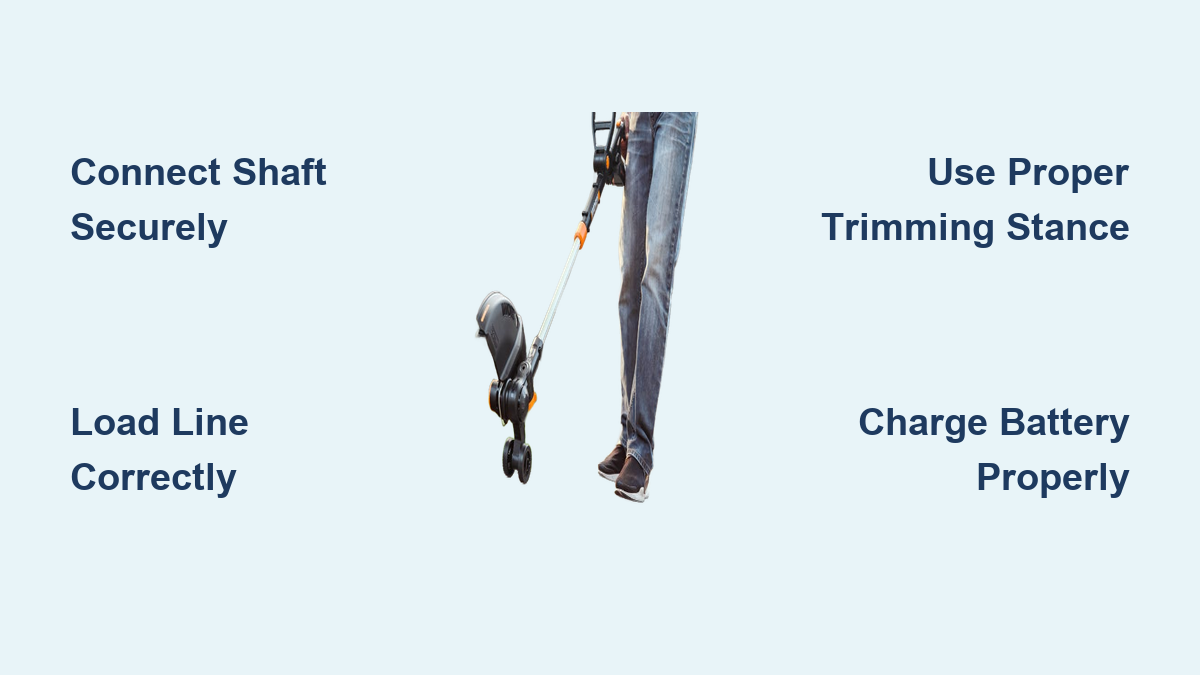
Your technique determines cut quality, efficiency, and user fatigue levels. Adopting the right stance and movement patterns transforms your Worx trimmer from a chore into an enjoyable task.
Perform Essential Pre-Operation Safety Checks
Before starting, equip yourself with ANSI Z87.1 rated safety glasses, ear protection, closed-toe shoes with ankle support, long pants made of heavy fabric, and work gloves. Verify the battery is fully charged and securely installed. Confirm the trimmer line is properly loaded with sufficient length extended. Check that the guard is undamaged and correctly installed. Walk your cutting area to remove rocks and debris, and ensure no people or pets are within a thirty-foot radius.
Adopt the Correct Trimming Stance and Movement
Stand with feet shoulder-width apart for stability. Hold the main handle with your dominant hand while supporting the secondary handle with your non-dominant hand. Maintain a slight knee bend to absorb vibration. Position the trimmer head parallel to the ground at waist height, holding the tool two to three inches from target vegetation. Swing the trimmer in smooth, controlled arcs from right to left, overlapping each pass by two to three inches. Move forward slowly as you trim, letting the line tips do the cutting rather than forcing the trimmer into vegetation.
Execute Edge-Specific Cutting Patterns
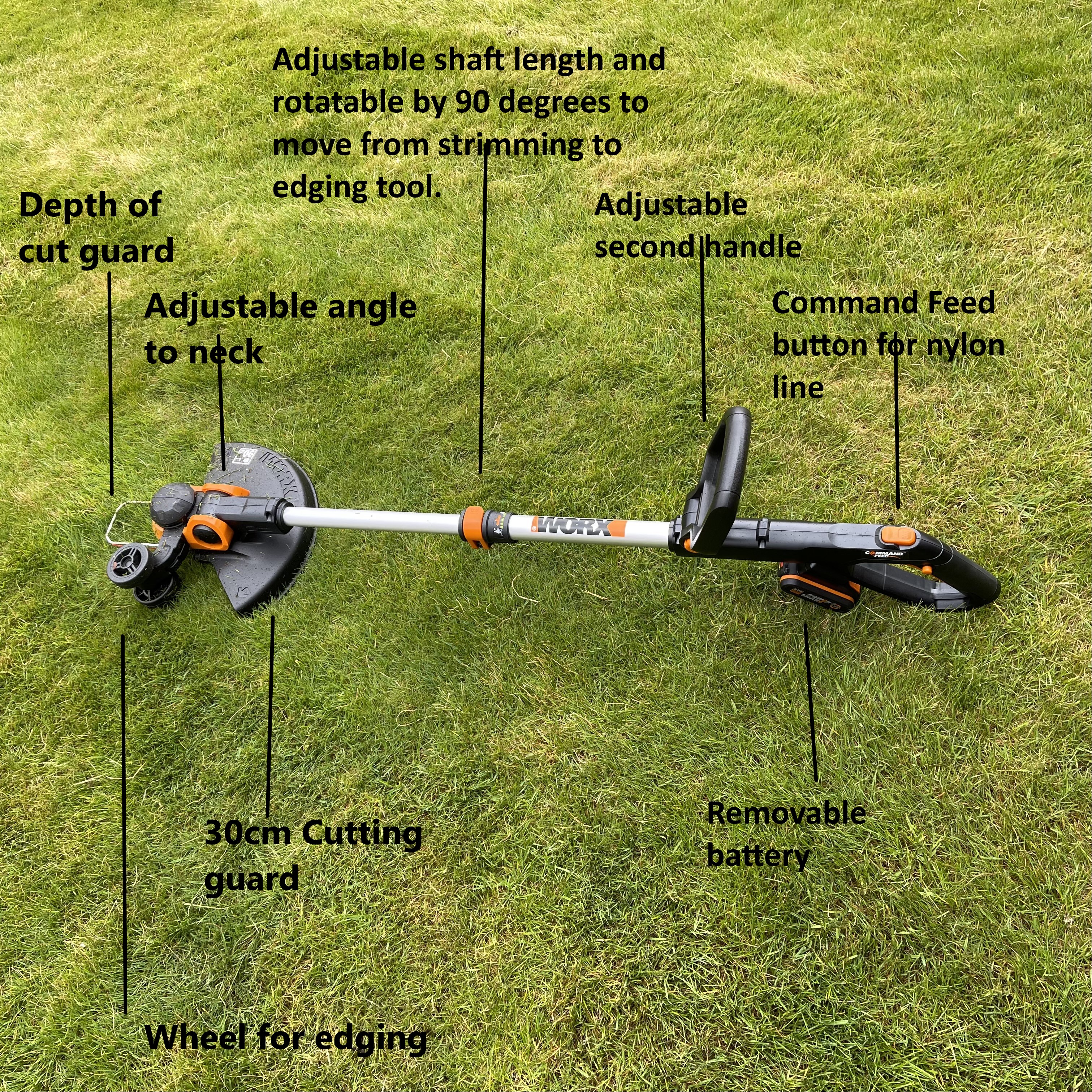
For lawn edge maintenance, rotate the trimmer head to a vertical position (90 degrees to the ground). Walk along your desired edge, using any guide wheel if your model includes one. This creates clean, defined edges along sidewalks, driveways, and flower beds. When tackling weeds along fences, angle the trimmer at approximately forty-five degrees toward the fence base, using sweeping motions while maintaining a three to four inch distance from fence posts to prevent damage.
Optimize Battery Performance for Longer Runtime

Your Worx battery directly determines how long you can trim between charges. Proper charging practices maximize both battery lifespan and per-charge runtime.
Charge and Maintain Batteries Properly
Charge batteries at room temperature (50-85°F) to prevent reduced capacity. For short-term storage, keep batteries with at least 40% charge in a cool, dry location away from sunlight. Avoid charging immediately after heavy use—allow fifteen to twenty minutes for cooling. Once fully charged (indicated by green light), remove the battery from the charger to prevent overcharging. For long-term storage, charge to approximately 50% every three to four months and store between 50-70°F.
Extend Runtime During Trimming Sessions
Match your line choice to the application—thicker line diameters require more motor power. Trim during cooler parts of the day, as extreme heat accelerates battery discharge. Keep the cutting path clear of vegetation buildup, which forces the motor to work harder. Avoid continuous operation at maximum power; use variable speed settings when available. For light edging work, standard mode provides sufficient power while preserving battery capacity.
Maintain Your Trimmer for Longevity
Regular maintenance prevents costly repairs and extends your Worx trimmer’s useful life. A few minutes after each session pays dividends throughout the season.
Clean After Every Use
Always remove the battery before maintenance. Use a soft brush to remove grass clippings from the trimmer head, especially around line exit holes. Clean the guard and deflector with a damp cloth, ensuring no buildup restricts debris deflection. Wipe the motor housing with a dry cloth to remove moisture. Inspect the trimmer line for wear and check all fasteners for looseness caused by vibration.
Perform Essential Deep Maintenance
Weekly or after heavy use, remove the spool cover and clean all internal components to prevent grass accumulation. Inspect the drive shaft connection for secure coupling. Monthly, check battery terminals for corrosion and clean with a dry cloth if needed. Examine the cutting line for wear patterns that might indicate alignment issues. Proper seasonal preparation ensures your tool starts reliably when spring arrives.
Fix Common Trimming Problems Quickly
Understanding frequent issues saves time and prevents frustration during yard work. Most problems have simple solutions you can implement immediately.
Resolve Line Feed Issues During Operation
When line refuses to advance, the spool is likely tangled. Remove the spool cover and extract the spool, checking for crossed lines. Clear tangles and reload following directional arrows. If line constantly retracts, the guard holes are probably obstructed—clear debris using a small tool. Frequent line breaking usually indicates hitting hard objects; adjust your technique to identify obstacles before contact.
Address Reduced Power and Performance Problems
Reduced power typically indicates battery issues. Recharge fully before use, as partially discharged batteries cannot sustain power demands. If the tool shuts down during use, overheating protection may have activated—allow ten to fifteen minutes cooling time. Excessive vibration often stems from damaged or unbalanced line; remove the spool and replace with fresh, evenly-wound line.
Follow Essential Safety Practices at All Times
Battery-powered trimmers still present genuine hazards. Understanding and respecting safety principles protects you and those around you.
Wear Required Protective Equipment
Always wear ANSI Z87.1 rated eye protection—debris travels at dangerous velocities. Hearing protection preserves long-term hearing health. Sturdy, closed-toe footwear with ankle support prevents injuries. Long pants made of heavy fabric protect your legs, and work gloves improve grip while reducing vibration transmission. Avoid loose clothing or jewelry that could become entangled.
Operate Safely During Yard Work
Maintain three points of contact with the ground (two feet and one hand on the tool) for stability. Never operate in enclosed spaces without proper ventilation. Stay aware of surroundings, particularly children and pets who might approach unexpectedly. Never carry the tool with your finger on the switch trigger. Set the tool down only after turning it off and removing the battery.
Mastering how to use your Worx weed trimmer combines proper setup, efficient technique, and consistent maintenance. Start with thorough assembly, develop your trimming skills through practice, and maintain the tool after each use. Keep spare batteries charged, replace worn line before it causes problems, and always prioritize safety. Follow these principles, and your Worx weed trimmer will deliver professional-looking results while serving your lawn care needs reliably for years to come. The investment of time learning these techniques pays dividends in cleaner cuts, longer battery life, and fewer repairs throughout your tool’s lifespan.
Leave a Reply